If you have been using WPBakery for a while, you might be wondering whether Elementor is really that much better—or if it is just marketing hype. The truth is that both page builders can get the job done, but the way they get there is very different. And in 2026, those differences matter more than ever for businesses that want fast, flexible, and future-proof websites.
This article breaks down the most important features side by side so you can see exactly where each tool excels and where one falls short.
Editing Experience: Backend vs Frontend
One of the biggest differences between WPBakery and Elementor is how you actually build pages.
WPBakery offers both a backend editor and a frontend editor, but the backend is where most users spend their time. While this gives you detailed control over structure, it does not give you a true “what you see is what you get” experience. You make changes in the admin panel, then preview to see how it looks—a workflow that slows you down when you are trying to move quickly.

Elementor, on the other hand, is built entirely around live, frontend editing. You design directly on the page, and every change you make appears instantly. For marketing teams, content creators, and anyone who is not a developer, this makes the process faster, more intuitive, and far less frustrating.
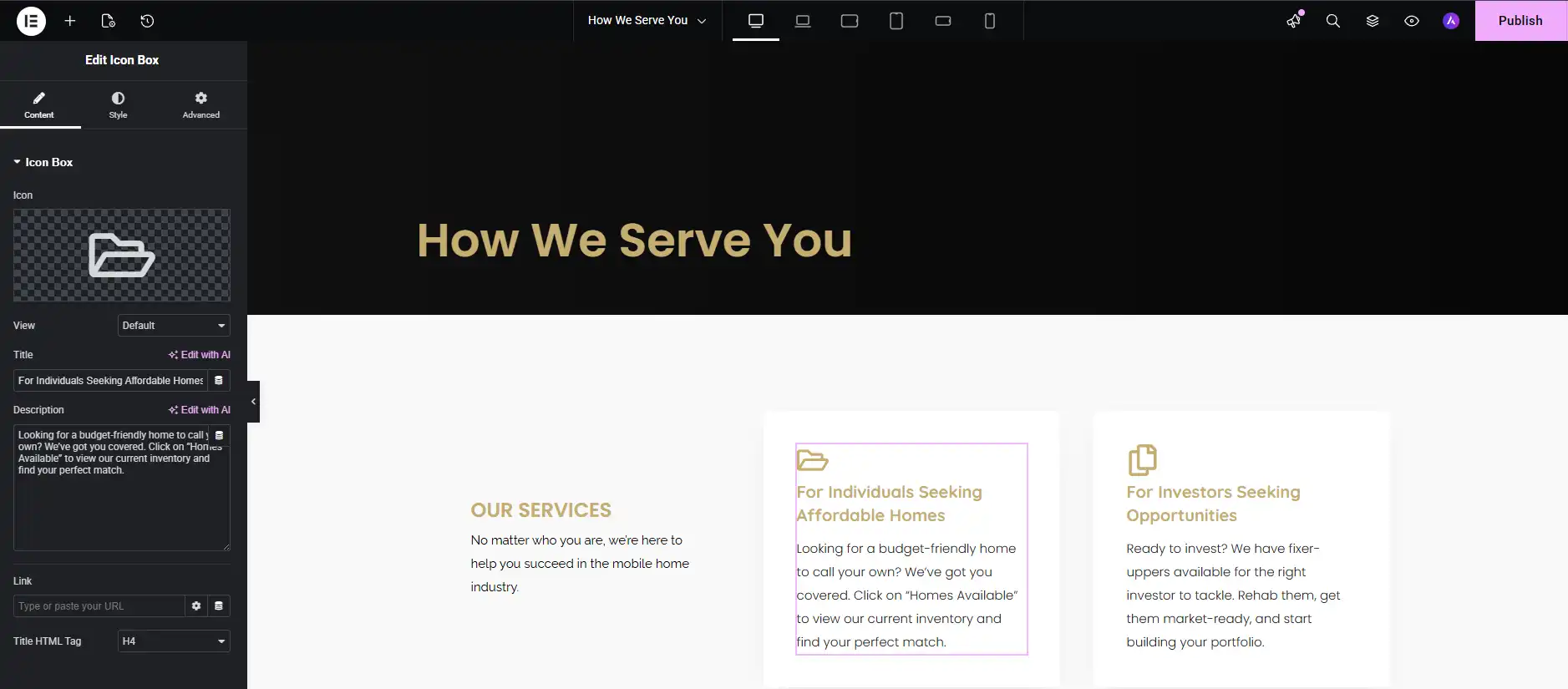
Winner: Elementor—for speed, usability, and a better user experience across skill levels.
Design Flexibility and Customization
Both builders give you drag-and-drop functionality, but what you can do with that functionality varies significantly.
Styling and Design Controls
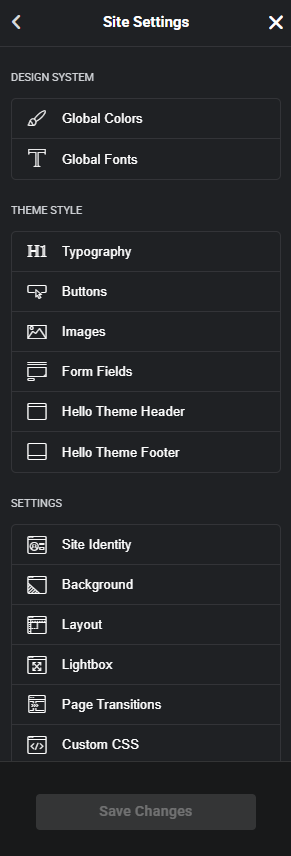
Elementor provides global colors, typography settings, and advanced styling controls that let you apply consistent branding across your entire site. You can tweak padding, margins, borders, shadows, and animations on a per-element basis with detailed precision. Elementor also supports motion effects, parallax scrolling, and hover animations that give your site a polished, modern feel.
WPBakery offers basic styling options, but many design adjustments require manual CSS or third-party add-ons. While you can customize individual elements, the lack of global design systems means you often end up repeating the same styling work across multiple pages.

Template Libraries
Elementor comes with hundreds of professionally designed templates and blocks that you can import, customize, and reuse. You can also save your own designs as templates and apply them across different pages or sites, making it easy to maintain consistency.

WPBakery does allow you to save templates, but the process is less intuitive and the built-in library is more limited. Many WPBakery users rely on templates bundled with their theme rather than the builder itself.
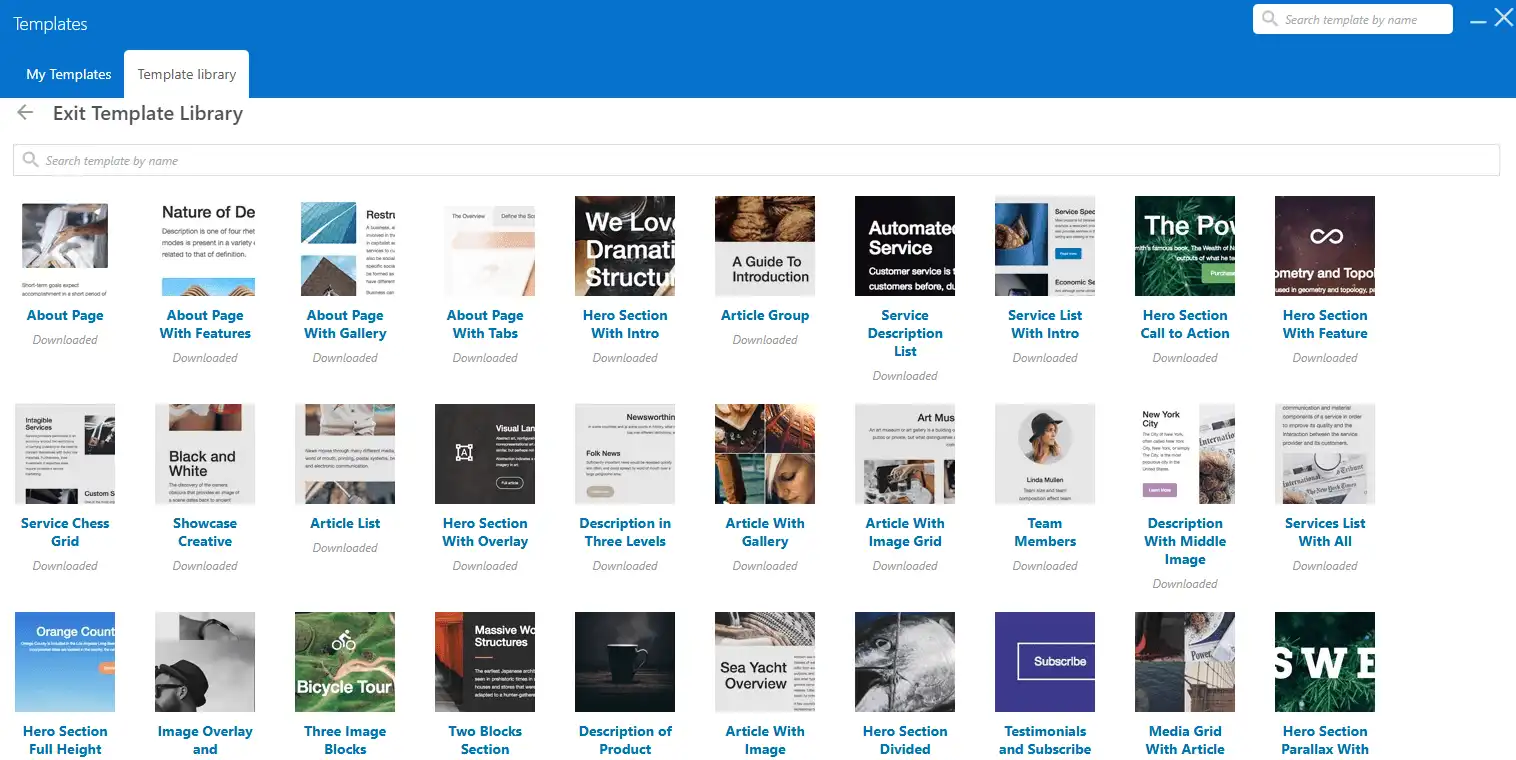
Winner: Elementor—for deeper customization, better design systems, and a richer template ecosystem.
Responsive Design and Mobile Optimization
In 2026, mobile traffic will account for more than half of all website visits. How your site looks and functions on mobile is not optional—it is essential.
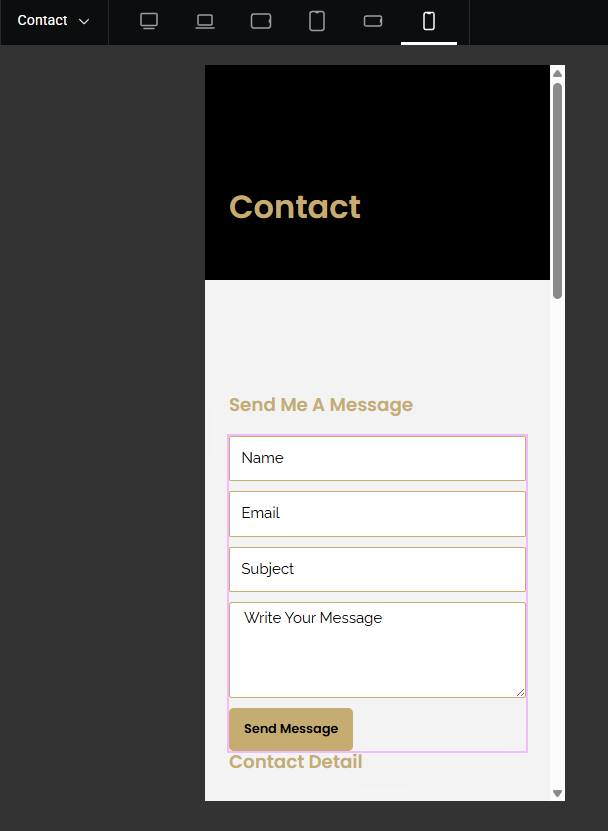
Elementor includes dedicated responsive editing tools with device-specific breakpoints. You can adjust font sizes, spacing, visibility, and layout for desktop, tablet, and mobile independently. This makes it much easier to optimize your site for every screen size without writing custom CSS.
WPBakery has responsive features, but they require more manual adjustments. While you can control column widths and offsets for different devices, the process is less visual and more technical. Many users find themselves needing custom CSS to get mobile layouts looking right.

Winner: Elementor—for built-in mobile editing tools and a more streamlined responsive workflow.
Theme Building and Dynamic Content
Modern WordPress sites need more than just page layouts—they need custom headers, footers, archive pages, and single post templates.
Elementor Pro includes a full theme builder that lets you design every part of your site visually. You can create custom product pages for WooCommerce, author archives, search results pages, and more—all without touching PHP. Elementor also supports dynamic content, so you can pull in custom fields, post meta, and other database-driven content directly into your designs.
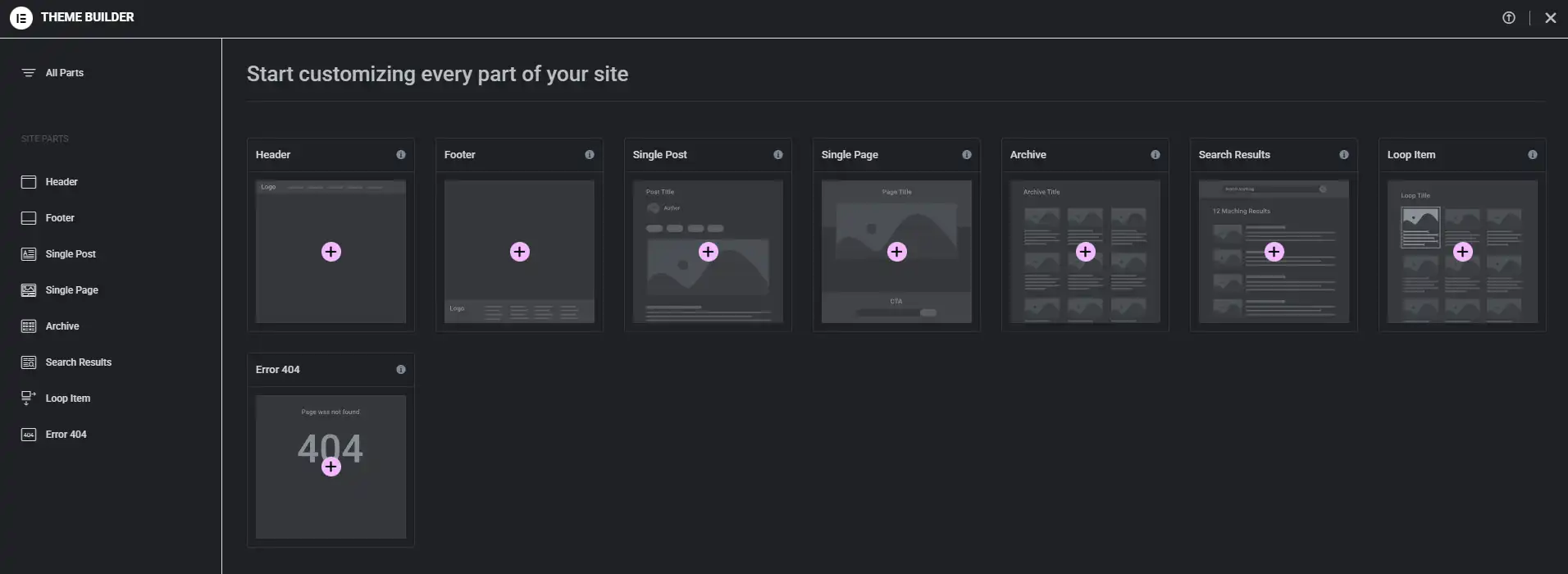
WPBakery does not have a theme builder. If you want to customize headers, footers, or post templates, you will need to edit theme files manually or use a separate plugin. This limits your design flexibility and makes it harder to maintain visual consistency across your site.
Winner: Elementor—for complete site design control and dynamic content support.
Performance and Page Speed
Performance is always a concern with page builders, and both Elementor and WPBakery have their trade-offs.
WPBakery relies on shortcodes to render content, which can increase rendering time and make your database messier. However, WPBakery’s backend editing approach can result in slightly faster backend load times in some cases.
Elementor uses a module-based system that loads scripts dynamically. While this can add some weight to your pages, Elementor includes built-in performance features like lazy loading, image optimization, and efficient JavaScript handling. Independent tests show that performance differences between the two builders are minimal when both are properly optimized.
Both builders benefit from:
- Using lightweight themes like Hello Elementor or Astra
- Enabling caching and image optimization.
- Minimizing active plugins to reduce conflicts.
Winner: Elementor—Although both require optimization, Elementor includes more built-in performance tools and works better with third party tools like Seraphinite Accelerator, WP Rocket, Litespeed Cache etc.
Widget and Element Libraries
The variety and quality of widgets available directly impact how quickly you can build pages.
Elementor includes 50+ core widgets in the free version and 90+ in Elementor Pro, covering forms, sliders, carousels, tabs, accordions, pricing tables, testimonials, and more. The widgets are well-designed, regularly updated, and integrate smoothly with third-party tools.
WPBakery also offers 50+ content elements, but many feel dated compared to Elementor’s modern UI and functionality. To match Elementor’s feature set, you often need to purchase additional extensions or rely on theme-bundled elements.
Winner: Elementor—for a richer widget library and better third-party integrations.
Ease of Use for Non-Developers
If your marketing team, content writers, or clients need to update the site without developer help, ease of use becomes a critical factor.
Elementor is widely considered more beginner-friendly. The visual editor, drag-and-drop simplicity, and clear controls make it accessible even for users with no coding background. Most people can start building pages within minutes of installing Elementor.
WPBakery has a steeper learning curve. The backend interface, reliance on shortcodes, and less intuitive workflow mean new users often need more training and support to feel confident using the tool.
Winner: Elementor—for accessibility, intuitiveness, and faster onboarding.
Pricing and Licensing
Elementor offers a free version with core features and paid plans starting at $59/year for one site. The Pro version unlocks the theme builder, additional widgets, and advanced features.
WPBakery is typically bundled with premium themes rather than sold standalone. When purchased separately, it costs around $69 for lifetime updates. However, the bundled licensing model means you do not always get direct support from WPBakery itself.
Winner: Depends on your needs—WPBakery may be more cost-effective if bundled, but Elementor’s pricing is more transparent and includes active development.
Feature Comparison Table
| Feature | Elementor | WPBakery |
| Editing Style | Live frontend editor | Backend + frontend editor |
| User-Friendliness | Highly intuitive | Steeper learning curve |
| Responsive Controls | Device-specific breakpoints | Manual adjustments |
| Theme Builder | Yes (Elementor Pro) | No |
| Global Design System | Yes (colors, typography) | Limited |
| Template Library | Extensive, easy to use | Limited, less intuitive |
| Widgets & Elements | 90+ (Pro version) | 50+ |
| Dynamic Content | Full support | Limited |
| Performance | Optimized with lazy loading | Shortcode-based rendering |
| Pricing | $59+/year | $69+/lifetime |
The Bottom Line for 2026
If you are choosing a page builder today, the decision comes down to what you value most: ease of use, design flexibility, and long-term scalability—or familiarity with an older tool.
Elementor wins in almost every category that matters for modern WordPress sites: better editing experience, stronger design controls, full theme building, and a more active development roadmap. WPBakery can still get the job done, but it feels increasingly outdated compared to what is now possible.
For businesses serious about growth, user experience, and keeping up with industry standards, Elementor is the clear choice for 2026.
Ready to Make the Switch?
TAMARA & Co. specializes in seamless WPBakery to Elementor migrations. We will audit your current site, rebuild your layouts in Elementor with improved design and performance, and train your team to use the new builder confidently. Contact us today to start your transition.